Friday, November 28, 2025

AV Linux MXE-25 has few Problems

AV Linux MXE-25 has a few Problems but I have sorted them out.  
 
Well, finally I got it. 
THANK,YOU.
It is very impressive.
WiFi Problem was probably due to the drivers.
I removed all the drivers and I will try first of all Gnome and report to you soon. I am in Australia and the repository guys in New Zealand are Lazy. 
Have some in Australia.
 
Thank YOU very much for the BIG Font in the Plymouth Boot Screen. It helps me in my late 70s.
Gnome is installing OK.
Next i go to Synaptic Package manager which is my favorite.
 
Not available applications like Opera browser and Vivaldi I will reach through, MX Package Installer which I really like.
 
I Love Enlightenment desktop.
By the way, Synaptic package manager does not mount in Enlightenment Desktop. 
 
I have to got to Gnome which is already installed. MX Linux does not let Gnome configure (icon on the top left hand corner is missing), the Network which is very smooth in Gnome. That was the problem with AV Linux, to begin with, which I had for nearly 48 hours.
WiFi connectivity is the first thing guys and girls look for.  One has to be mindful about that. All these comments are constructive and not destructive.
Finish with one very important comment.
The desktop should not be flashy like KDE or not very dull like XFCE. It has to take the middle ground which Gnome does it excellently. For the last 15 years or so, I never fiddled with it after installation. I know where the things are by heart. So I do not bother. When one adds a gimmick (political term in Ceylon, which the former Election Commissioner was famous for), to the desktop to entice a user the Linux fundamentals, take a nose dive.
 
Well Enlightenment Desktop (rather a window manger) is a good alternative for guys and girls who want to fiddle with the desktop arrangement. Since it is a Window Manager at heart and  it has limitations like taking Synaptic package manager under its fold that offer enormous resource pool. Option is to install Gnome and have best of both world. Just log out and log in with the one one likes. I used to have about 20 Window Manager (just Testing them for nostalgia of the past).
I love IceWM and MX Linux has include in its package list with Gnome.
One can have two editions of Firefox, too.
Yes when I get fed up with I go for ARCH Linux.
BlueStar Linux.
CachyOS
Beborn OS
Manjaro unfortunately cannot coexist with reborn and I have ditched.
MX Linux and MV Linux are certainly good alternatives.
I have six instances and two of them and  invariably two of them are Debian's.
 
Trixie and Forky. 
 
THANK YOU again. 
 
AV Linux MXE-25 has few Problems
Yes, AV Linux 25 has few problems.
Probably related to Enlightenment Desktop.
It does not configure my WiFi..
I am not new to MX and AV Linux.
I even reinstated it.
I tried with Live Session, failed.
I tried after installation, failed.
I reinstated it and tried.
Failed.
Went to sleep.
Woke Up and had a cuppa.
Tried failed.
This may be true for other enthusiasts.
I am a Debian, User and very strict in my comments but they are constrictive.
No longer in the Development Pool.
Leave Young Guys and Girls to learn the hardway.
I did not like the MX Linux Infinity name.
In physics Infinity is something unapproachable.
I ditched it immediately and went for ARCH derivatives and Reborn as a Buddhist is my favourite.
Linux by nature does not pretend  that it can achieve Infinity but that is the Goal like Nirvana. Moksha itself is Truly offendove to Buddhist way of thinking.
I hope Young Developers take these comments to heart and do not go by things like Hyperland of Omarchy.
Hype itself kills the enthusiasm.


AV Linux was one of my favorite during 32 bit time for a very good reason,
A stands for Audio,
V stands for Video.
It had a lively collection of utilities.
Then I was interested in Enlightenment Desktop which worked on old computers effortlessly. I am not sure whether AV Linux had any connection with Enlightenment desktop but Gentoo, certainly did. Moksha was a one of my interest since that is the goal of Buddhists.
AV Linux went into hibernation during 54 bit time.
Then, I found a its 32 bit edition in association with MX Linux.
I used MX Linux in my system and I liked it because I started my Linux career with Mepis.
I am going to install MXE-25 now. 
 
 This is what I wrote here.  
 

Bodhi Linux

By the way, AV Linux MXe has Enlightenment Desktop and it has ton of Audio Video applications but it is Liquidize kernel (modified Debian Bookworm)

Bodhi Linux is a light weight Linux distribution based on Ubuntu that uses an Enlightenment DR17 based fork called Moksha as its desktop environment. 

The philosophy of the distribution is to provide, a minimal base system so that user can install  the software he/she prefers. 

Hence, the distribution includes, only the software that is essential for regular use, such as a File Manager, a Terminal Emulator and a Web Browser. 

Bodhi Linux developers maintain a browser based application store with apturl tool to install programs.     

I was a fan of Enlightenment desktop but never used Bhodhi as daily driver. 

Bhodhi is the Buddhist Concept of spiritual attainment, of non-attachment and non-entanglement and this distribution violates that concept.

Elive is a better option for Enlightenment desktop experience. 

I have changed my attitude towards Elive Linux after they went commercial.

Its latest Image can be run on a USB as a persistent volume. 

This persistent volume comes from Puppy Linux and EasyOS version 6 series run as persistent volume. 

As far as my testing goes, EasyOS (it is IGB),   is the only distribution that can fill the remaining part of the USB with a Ext4 partition for regular use.
Bodhi is single user and works on root level and that is not to my liking.
I always have a not privileged user account.

It lets one remove Firefox and install Vivaldi, Opera and Brave. 

How ever without installing Firefox on cannot install Waterfox.

In any case to promote Enlightenment Desktop, I keep it in my NUC system as a minimal desktop environment. 

However, one can install Enlightenment desktop on top of Gnome but I prefer the Modern, Elive desktop with fantastic desktop effects.

Importantly no LibreOffice and got AbiWord format installed

I have not tried Bodhi Linux after 32 bit days. 

Modern version 7.00 is fantastic with minimal applications. 

It is based on Ubuntu and has Synaptic Package Manager.
Yes I have tried to install it my NUC. 

It Froze and could not mount my 26 odd Ext partitions. 

Tried it again and waited patiently and it mounted the hard disk. 

It is in final stage of installation and I love the old Ubuntu installation style which I have gone through 100 of times or more.

Well I got to distribution with Enlightenment desktop Installed. 

If one is a Buddhist this is the Linux distribution one should try. 

I think Buddhist monks would love this Mokha Desktop.

Took about 600MB of my 8GB RAM but 1GB with Firefox. 

591MB of my hard disk. 

However the installation was very slow.
Yes it stands up to its claim of light weight and energy saving and not resource hungry.

Bodhi Linux Overview

A minimalist, enlightened Linux distribution

Bodhi is a minimalist, enlightened, Linux desktop.

Bodhi Linux is extremely lightweight and highly customizable. 

Bodhi is suitable for both Linux newcomers and experienced users.

 
MX Linux-Finally arrived.
I am installing it on a single partition.
It is 3.2GB image.
It has lot of images and all the tools are available. 
I use KDE which is lovely.
I want to see Sinhala LibreOffice works.
 
සුද්ධ සිංහල font නෑ in Sihala LibreOffice.
Unable to import Google fonts.

Document of  243 pages is expanded to 352 of LibreOffice 25.2.
More than 100 pages for Big Macros.
Not worth using.
 
කොහොම නමුත් පැයක් උත්සහ කිරීමෙන් පිටු 269 කට බස්සා ගත්තා.
පුදුම දිස්කවොරි එකක්.

Up till now only AbiWord installed.
Thank you.
All browsers including palemoon failed.
It looks like its repository is fragmented and it is not ready for use as a daily driver.

Audacity OK.
Thank you. 
Mounts OK.
It looks like it is a heavy installation and my 9.5GB home partition has only 23.6MB.
Only to have few of my books in AbiWord format.
So I won't bother to install as a mayor distribution.
I already have KIRO and BlueStar Linux and would erase my second instance or the backup Gnome.

MX Linux is failing and falling behind to satisfy me.

    The MX Linux team has announce the availability of the initial beta release of MX Linux 25. The project's upcoming major update, now based on Debian 13, is available in both "systemd" and "SysV" variants (for the Xfce and Fluxbox editions) and "systemd" only for the KDE Plasma flavour: "MX Linux 25 beta 1 is now available for testing. MX 25 is built from debian 13 'Trixie' and MX repositories, along with the antiX live system. Systemd and SysVInit editions are provided and supported. For those that want them, the Xfce, Xfce-ahs and Fluxbox releases are available in SysVInit variants. SysVInit ISO images are clearly labeled such in the file name. Reasons for this change from past editions are in this blog post. At this time we intend the betas to update through final. Major desktop versions: Xfce 4.20, Fluxbox 1.3.7, KDE Plasma 6.3.6. Most ISO images come with the latest 6.12.43 kernel from the debian stable repositories. The Advanced Hardware Support 'ahs' variants have 6.15-liquorix kernels." See the release announcement for further information and a list of known issues. Download (pkglist): MX-25_Xfce_beta1_x64.iso (2,587MB, SHA256, signature), MX-25_Xfce_sysvinit_beta1_x64.iso (2,558MB, SHA256, signature), MX-25_KDE_beta1_x64.iso (3,067MB, SHA256, signature), MX-25_fluxbox_beta1_x64.iso (2,078MB, SHA256, signature).


Monday, June 10, 2024
Mx Linux 23.3-Install
Since, I have given up on Ubuntu, I decided to use another Linux distribution on top of Debian, Gnome, with a Light Weight Desktop.
I am beginning to Love Light Weight Desktops where on can fiddle with icon and windows.
In Flushbox Windows can be taken out of the monitor screen but they do not disappear but come from the other end.
It reduces the clutter even on a giant monitor.
I have also decided to Install it on a USB, instead of writing on a USB to mount.

I want it to be persistent copy and not a Live session.

It has lot of options and it is finishing install with Efi partition and a SWAP partition, in case I mount it on a Windows Box.
I takes long time to install USB stick which is understandable.

It booted with a user password and root password for Synaptic Package Manager.
I am currently installing,
1. AbiWord.
2. Stacer.
3. Notepadqq
4. Ranger
There is no LibreOffice. 

Efi
/root is just under 10GB.
/boot
SWAP
No additional partitions.

I have found a way to add additional partitions say /var or /tmp.

MX Linux Revisited-Thank YOU

There some problem with GRUB file and it did not recognize Reborn OS. I am reinstalling Reborn OS with a big /var partition for my additional applications.

It has finished installing.

I am currently installing MX Linux 6.1.0-35-amd64 Kernel.

It is almost two years.

I is using KDE desktop as its base.

I am installing Gnome desktop now.

Make sure one start with Gdm and not Sddm (one has to look for the type of desktop from the panel below).

I am used to the top right hand scheme of the Gnome.

Installation is very slow but everything is streamlined for a newbie with graphic instructions. 

It is nice to see even Reborn OS use MX Linux methods.

I hope it gets my GRUB file OK. 

Fortunately it lets me access my Gnome /Home folder to copy my books to MX Linux folder., in case I mess up with my Gnome.

I am well into Debian 13 series which bit refined and no complaints.

I have 2 Debian and one Reborn OS and MX Linux in my NUC with 320GB.

It has a 50GB NTFS folder which stores all my favorite Linux distributions that include Reborn OS, Manjaro, Bodhi 7.0.0.64, Arch, Antix, Debian old and new and many more images.

I went back to Gnome Desktop and got Synaptic Package Manager installed.

Stacer, Gdebi, Gparted and USB writer and USB formatter included.

Yes, using KDE is a pain in the arxx>.

I do not need to respond to every OK approval now.

By the way it supports open office.

Monday, June 10, 2024
Mx Linux 23.3-Install

Since, I have given up on Ubuntu, I decided to use another Linux distribution on top of Debian, Gnome, with a Light Weight Desktop.
I am beginning to Love Light Weight Desktops where on can fiddle with icon and windows.
In Flushbox Windows can be taken out of the monitor screen but they do not disappear but come from the other end.
It reduces the clutter even on a giant monitor.
I have also decided to Install it on a USB, instead of writing on a USB to mount.

I want it to be persistent copy and not a Live session.

It has lot of options and it is finishing install with Efi partition and a SWAP partition, in case I mount it on a Windows Box.
I takes long time to install USB stick which is understandable. 

It booted with a user password and root password for Synaptic Package Manager.
I am currently installing,
1. AbiWord.
2. Stacer.
3. Notepadqq
4. Ranger
There is no LibreOffice.

Efi
/root is just under 10GB.
/boot
SWAP
No additional partitions.

I have found a way to add additional partitions say /var or /tmp.

Glen MacArthur has announced the release of AV Linux MXE-25, a major update of the project's MX Linux-based distribution designed primarily for content creators, with Enlightenment as the default desktop user interface. The new version is based on the recently-released MX Linux 25. Additionally, a brand-new flavour, called "MX Moksha", is also available: "AV Linux (AVL) and MX Moksha (MXM) 25 have been released after a long and laborious development period. There are now two flavors of Enlightenment for the E-curious; AV Linux remains with Enlightenment 0.27.1 and the new addition 'MX Moksha' comes with Moksha 0.4.1 from the popular Bodhi Linux project. Features at a glance: made with love on a base of MX Linux 25 and Debian 'Trixie'; new first-run setup wizard; low-latency preempt Liquorix kernel with threaded IRQs; enhanced hardware support provided by MX Linux 'ahs' repository; powerful MX Linux Tools, including MX-Snapshot; efficiently low RAM consumption with attractive compositing and unrivaled display scaling; Enlightenment desktop environment 0.27.1 with newly added optional Enlightenment apps and modules; right-click desktop menu...." See the release announcement and the release notes for more information and screenshots. Download: AVL_MXE-23.2-20240405_x64.iso (3,929MB, SHA256, signature, pkglist).

Thursday, November 27, 2025

openSuSe Tumbleweed is a Frozen Distribution

Yes, openSuSe Tumbleweed is a totally frozen distribution.
One can get Gnome, KDE and IceWM but except for LibreOffice there is nothing.
Not even Audacity, lmms and Gparted.
Partitioning is a pain.
I just deleted few patitions and added few.
Unpartitioned part of the hard disk was not visible.
I am Reinstalling Reborn OS.
This time added all the packages.
Just to see it take more time for additional packages.
I alreadu have Reborn instance.
After nearly 90 minutes of waiting I got Manjaro installed but Manjaro csnnot coexist with Reborn OS.
CachyOS is there without a problem.
At least I am happy I gave a chance to SuSe. Afterall, I have 10 chances for Redhat. 
I have to sit amd click Yes response to REBORN. Unless it hangs up in mid installation.
CPU full throttls.
Memory 20% which is 1.5GB.
No information on WiFi activity.
Installation is brick and finish before this peace.
It is booted up and my GRUB is fine.

ROSA Failed ME 10 Times to install as a subsidiary Installation

 ROSA Failed ME 10 Times

Unlike Astra Linux ROSA wants to take over my whole hard disk.

I do not have a spare external disks.
I left two 1 terabyte hard disks in Ceylon (heavy luggage with a heavy old Laptop). 
I could have easily slipped inside the bag, stupid me.
I am going to try SuSe Tumbleweed.
If it does not coexist with Debian, I am going to try New Pardus.
I may erase the bootable ROSA USB.
10 times is my limit.
Russians have to learn a bit for me.
Send an English Message to this blog piece.
Better still they hang Redhat and use Gnome like Turkish guys.

GRUB FILE

This just to show that I am not only a writer but I can work on CODE .

I won't tell you how I got these files.

If YOU modify this file the commuter won't boot.

Even if it boots file wont be accessible

This file i am going to include in my book, Linux Essentials 

Properties of GRUB File

Create....

Type                Unknown

Open with    No registered file type

Location        /run/media/me/32 character cod/grub

Size                25.4KiB(26.060)

Created        Thursday,27Noveber2:56:51pm Australian Eastern Standard Time

Modified    Thursday,27Noveber2:56:51pm Australian Eastern Standard Time

Accessed    Thursday,27Noveber2:56:51pm Australian Eastern Standard Time

 Length of the file 39 lines but contents are bit different and my even I cannot read, even though I am the owner

I do not own the Grub Editor environment once it is saved.

I used to EDIT this file 25 years ago and see what happens with the Redhat book by the side.

I quickly switched to Linux Bible which on the try covered by files note books and various items including few photocopies of web pieces i made with www.writeclique.com of British council Library, in Ceylon, now defunct. 


This is the GRUB of ROSA which is based on Redhat  

1. set default=1

set timeout=30

set gfxpayload=keep

set gfxoutput=1

set localedir ${prefix}/locale

set theme=/EFI/BOOT/themes/rosa/theme.txt

insmod regexp

insmod gzio

insmod part_gpt

insmod part_msdos

insmod ext2

insmod iso9660

insmod gettext

if [ x$gfxoutput = x1 ]; then

set gfxmode=1024x768,1024x600,800x600,640x480

insmod gfxterm

terminal_output gfxterm

insmod gfxmenu

insmod png

export theme

background_image -m stretch /EFI/BOOT/themes/rosa/terminal_background.png

loadfont /EFI/BOOT/themes/rosa/unicode.pf2

loadfont /EFI/BOOT/themes/rosa/terminus-18b.pf2

loadfont /EFI/BOOT/themes/rosa/terminal_font_11.pf2

else

terminal_input console

terminal_output console

fi

for langstr in  en_US=English ru_RU=Русский it_IT=italiano de_DE=Deutsch  fr_FR=Français pt_PT=Português es_ES=Español ar_SA=العربية zh_CN=普通话  ; do

   regexp -s 2:langname -s 1:langcode '(.*)=(.*)' "$langstr"

   if [ x$gfxoutput = x1 ]; then

       menutext="${langname}"

  39.elseGRUB Environment Block


This my Grub file with lot of hashes 

1. # WARNING: Do not edit this file by tools other than grub-editenv!!!

menu_auto_hide=1

boot_success=1

saved_entry=osprober-gnulinux-simple-4ed59ddb-7293-4f66-b0af-471ab1232f63

6 to 39 filled with hashes 

6 to 39#############################################################################################################################################################################################################################################################################################################################################################################################################################################################################################################################################################################################################################################################################################################################################################################

Got Manjaro back after 90 Minutes

I am a multitask guy cannot wait 90 minutes for Manjaro to detect my 35 peace Partition Table in 320GB Toshiba Hard Disk.
Linux finishes installing in 22 minutes in my two core 6GB RAM system.
Only Russian Redhat based took 90 minutes to install but it ruined my GRUB.
Today, I waited 90 minutes and it detected my hard disk with an irratic number in order ( not sequential ) which Gparted get it right. I know my Partition Table by Heart.
It has 3 NTFS partition in vase somebody ask me to recover any Windows files in Australia which is very unlikely.
Once in 6 months I write them down in a school note book.
Thank YOU, Manjaro for your patience which I DO NOT have.
Iit is 90% install in 15 mintes and now installing the Boot Loader which takes takes lot of time dince I never format the EFI Boot Loader.
It finished in 17 minutes, the fastest.
10GB for Install. Debian (Forky) Gnome takes the least space about 6GB. 
I got 10GB left but I have a very small / var partition.
I erased MX Linux infinity in that process.
I do not like its ancient AntiX like look.
I got everything I need and I have 6GB left.
It looks like Manjaro does not fill up my /var which Reborn OS does.

Pendrive Linux

 I by sroke luck I found pendrive Linux oimage which is 425MB which could be accomodated on a 512MB USB, my first USB.

I learned all my Linux commards under Windows desktop.

That was my beginning.

I could lunch Vi on RAM but did not know how to exit by help heled me.

Pendrive Linux

PendriveLinux.com was originally founded by Lance in 2006 with the goal of providing resources and tools to help users create bootable USB drives

The site offers various utilities to simplify the process of installing operating systems from USB drives, particularly Linux distributions.

Since its inception, PendriveLinux has been offering simplified tutorials, USB boot software, and Windows media creation tools that make booting a computer from a removable USB drive easy. 

The goal is to enable users to walk up to any PC, insert a flash drive, do their work, shut down, unplug the device, and continue with their day, all while leaving no traces behind on the host computer.

Pendrive Linux's USB booting tools and simplified tutorials have become valuable assets in both educational and professional settings. Students and educators use bootable USBs for networking or software testing, while multiboot USBs offer portable, consistent operating system environments for secure, location independent work. These tools are ideal for corporate teams and IT professionals who need quick access to recovery solutions.

I would like to extend my personal thanks to all of those who have provided continued support and feedback over the years. It is because of you that the bootable pen drive software, projects, simplified USB Linux, Windows booting from USB instructions, and related how to boot from a USB drive information provided throughout this website remain accessible to this day.

This site was originally established as a simple means to experiment and share useful information about booting from USB (particularly to make Linux OS USB Bootable). This was done in hopes that by sharing whilst learning, I might help others who may also be looking to find ways to easily boot and then run their Live ISO files, Windows installers, PE, antivirus scanners, cloning software, and various other useful diagnostic tools - all from a UFD.
~ Lance

Why the Tux Linux Penguin Mascot?

Pendrive Linux Tux Penguin + bootable USB flash drive The cartoon-like penguin known as Tux was once recognized as the official Linux mascot and remains a powerful symbol of Linux's flexibility, freedom, and open-source spirit. For Pendrive Linux, Tux also represents the portability and simplicity of running Linux directly from a USB drive.

Seen here carrying a bootable USB flash drive, our Tux mascot embodies the ease of taking Linux with you, ready to run live environments, recovery tools, or full operating systems anytime, anywhere.

The Pen Drive Linux Tux mascot has represented our brand for over 18 years, inspiring the community and standing for our mission: making Linux portable, USB bootable, and accessible. Whether you're creating a live USB Linux environment, a bootable Windows installer, or portable system tools, Tux continues to symbolize the freedom to boot from USB and carry your OS in your pocket.

On this site you'll find simplified tutorials, software, and media creation tools to help you easily make Live Linux bootable USB sticks from ISO images, install or create a USB boot drive for Windows 10 or 11, run antivirus programs, backup utilities and system diagnostic tools from a flash memory stick or SD card, perform virtual machine (VM) or kernel-based (KVM) emulation, cloud computing, etc.

Make Bootable USB Drives Boot from USB - Pendrive Linux Video

Additional information is also provided to help you learn how to enter BIOS and set a computer system to startup and boot from a USB flash drive. Several articles have been created to help you setup, configure, and customize Linux. Along with various tutorials providing Linux shell script commands and coding examples to assist you in making full use of the power of Linux.

What is a Bootable USB Flash Drive?

A bootable USB flash drive (often called a memory stick) is a portable storage device that contains a complete operating system or diagnostic tools that can be run directly from the USB without needing to install anything on the computer's internal hard drive. This allows you to start up (boot) a computer using the USB drive instead of its usual system.

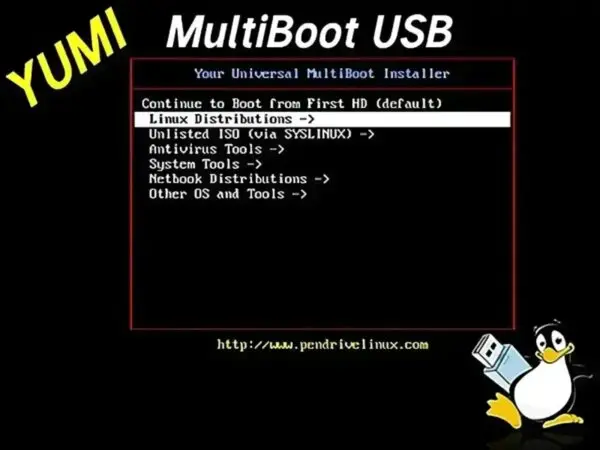
Tools like YUMI and Universal USB Installer make it easy to create bootable USB flash drives by copying ISO files of operating systems or utilities onto the device. This gives you a fully portable and versatile environment to install, repair, or run various operating systems, all from a convenient portable UFD you can carry anywhere.

What is a Multiboot USB

A multiboot USB, also known as a multi-ISO bootable USB flash drive, is a memory stick configured to boot multiple ISO files from a single device. This feature allows users to switch between operating systems without needing multiple USB drives. Multiboot USBs are particularly useful for IT professionals, system administrators, and others who need to work with multiple operating systems regularly. They can also be used to reboot or repair an operating system, install something new, or run a live system.

Multibooting from a multi operating system bootable USB enables you to store and run various Linux operating systems, Windows installers, Windows To Go, Windows PE, system diagnostic utilities, antivirus scanners, penetration testing tools, cloning tools, backup tools, and more, all from the same removable device. This results in a custom, personalized bootable diagnostic toolkit that you can carry on a keychain or in your pocket.

Ezoic

Benefits of Booting from USB Drives

Live USB booting offers many advantages:

  • OS Portability and Convenience: Flash drives are compact and easy to carry, making them ideal for booting operating systems or system tools on the go. Whether you're using it to make a Linux OS USB boot at a friend's house, at school, from your work PC, or while traveling, USB booting provides portable computing wherever you are.
  • Boot from USB with Multiple Operating Systems: A variety of operating systems, such as Windows, Linux, and FreeBSD, can be booted from a flash drive. This makes USB booting a practical solution for troubleshooting, testing, running specialized software, and installing new operating systems.
  • Windows Media Creation Tools: Tools like YUMI and UUI make it easy to set up Windows installation drives, enabling you to quickly create a bootable USB for Windows installation or recovery.
  • USB Boot for Privacy and Security: Booting from a USB device isolates your OS and files from the host computer's internal storage, offering enhanced security. This is especially useful when working on untrusted or public computers, or if you're concerned about potential malware or privacy risks.
  • OS Recovery from USB: If your computer's operating system is corrupted or experiencing issues, booting from a USB drive lets you access a recovery environment to troubleshoot or reinstall the OS.
  • Use Persistent Storage to Retain Data across Boots: For users who want to retain settings and data across reboots, persistent storage can be a valuable feature. Persistent storage allows data to be saved directly on the USB, making it possible to carry personal settings, documents, and software configurations across different systems.
  • Use a USB Recovery Drive for Disaster Recovery: Live Linux Bootable USB drives also play an essential role in disaster recovery scenarios, offering quick access to backup and recovery tools. These drives can be used to recover data from compromised or unresponsive systems, making them invaluable tools for IT professionals and home users alike.
  • Fast SSD Performance: For optimal speed, use a high performance SSD USB flash drive for faster boot times and smoother operation. In many cases, an SSD USB drive can even outperform a traditional hard drive, especially if the computer's internal drive is outdated or slow.
  • The Cool Factor of USB Booting: Carrying a portable operating system on a USB drive is both convenient and impressive. There's something exciting about plugging in and instantly booting your custom Live OS on any computer. Once others see how easy and useful it is, they'll want to try it too!

As you can see, USB booting isn't just convenient for everyday computing. Booting from USB also provides a flexible, secure way to work with different operating systems, recover data, and experiment with live Linux environments, all while protecting your privacy.

Top 5 Use Cases for a Bootable USB

  1. Operating System Installation: Quickly install Windows, Linux, or other OSes from a portable flash drive.
  2. System Recovery: Access recovery tools or live environments to troubleshoot, repair, or recover data from a broken OS.
  3. Portable Computing: Run a full Linux desktop or Windows To Go directly from a USB, on nearly any computer.
  4. Penetration Testing & Diagnostics: Boot into specialized toolkits like Kali Linux or system diagnostic utilities without installing anything.
  5. Data Privacy: Use persistent storage to browse or work from a self contained operating environment without leaving traces on the host machine.

How to Create a Bootable USB Drive

To create a USB drive that can boot from ISO files for Linux or Windows, you can use one of the following Pendrive Linux live USB utilities. Both tools provide a categorized list of example bootable distributions, information on where to download the ISO files, and links to each corresponding project page. If you are just getting started, we recommend using YUMI exFAT as it supports multibooting a USB stick from both BIOS and UEFI systems and is the most frequently updated. It can also be run from within most modern Linux environments using WINE.

Follow these simple steps to make a USB installer for Linux or Windows:

  1. Download a Tool: Get YUMI or UUI from Pendrive Linux.
  2. Download an ISO: Choose your Linux distribution or Windows version ISO.
  3. Insert a USB drive: Use at least 8 GB (or larger), it'll be dual formatted FAT32/exFAT.
  4. Run the Installer: Launch YUMI/UUI, select your ISO and USB drive.
  5. Enable Persistence (optional): If supported, setup a persistence file to save settings and data across reboots.
  6. Create the USB: Click "Create" and wait for the files to be written.
  7. Boot from USB: Reboot, enter BIOS/UEFI (press F2, F12, Esc, Del), and select the USB drive as your boot device.

Best Tools to Make a Bootable USB (Windows & Linux)

Here are two of our most popular USB boot creator tools, long regarded as some of the best software you can use to make USB bootable drives:

YUMI: Create a Multiboot Bootable USB Flash Drive

Updated: 12 Sep, 2025 - YUMI-exFAT-1.0.3.1.exe
YUMI Multiboot USB Creator - Create a Bootable USB from Multiple ISO Files
Create a USB boot drive with YUMI multiboot USB media creator for Windows or Linux. YUMI allows you to multi‑boot from USB with multiple ISO files, including Linux distributions, Windows installers, antivirus utilities, and system diagnostic tools.

Wednesday, November 26, 2025

Why I hate Redhat

Yes, I hate Redhat for good reasons.  
I have pasted 9 blog pieces showing my Love and Hate Relationship with Redhat in the past. This comment is about the present state of affairs. 
I have nothing against proprietary applications but when they show "that they know the best" attitude that puts me off and the balance state of my mind..
 
1. Anaconda Installer is a pain in the ArXXX. I tried to install Russian ROSA, Linux. 
It took a hell of a long time to install and I took undue care and checked every step but it froze and would not boot.
 
2. They treat YOU like a KID.
One step at a time and one has to say one has finished the step and it then says Done and I have to click the mouse button.

Stupid and crazy.
 
3.  The Butter fs or Btrfs SUCKS.
 
4. Only desktop and no applications. 
 
5. No EFI. 
 
6. Fedora sucks 
 
7. Workplaces sucks 
 
 8. Last but not least the its image is not freely available. 
A story is relevant.
A monk from Denmark who was an ace homosexual cheated me with a faulty CD out 3 he gave me free. 
It had to be 4 CDs, to be precise. 
Being a doctor, I quickly realized what he is up to and never went to Sarana Road Buddhist Center which was established by the most Venerable Narada Thera whom I cared for as a doctor, in Colombo General Hospital.
The incident is stated below in a blog piece.

I got 6 out of 7 Redhat CDs from Singapore through a friend of mine in Colombo who had a thriving CD/DVD center in Nugagoda.
 
There are many more events and please read my past blog posts below.

1.  Bazzite Linux

I have fallen out of Redhat and Fedora for ages.

However, having browsed FOSS Linux, I decided to download Bazzite Image of 7.72GB.

It is a Gamer and it has an image for hand held devices.

It claimed to support Lutris and Steam.

It is an Installer Image and it takes over the hard disk. It was just  a waste of time and when I burned it to the USB, I could smell the charcoal burn which is perhaps even nastier than what was expected. It has never happened to me burning at least 5000 or more images both to DVDs and USBs.

By the way, current Batocera also takes over the hard disk
I haven't got a bootable Batocera USB now. I had in the past but I erased it.

I am glad I left Redhat and Fedora long time, ago.

It was after an altercation with a Foreign monk (perhaps a homosexual guy), in Sarana Road Colombo 7, long long time ago, who gave me 3 out of 4 Fedora CDs. One CD did not work.
 I think he copied them using Windows Utility which did not read and write the CD file properly).
 
I managed to get the 6 out of 7 C.D.S from Singapore (I knew a guy in Colombo who had worked in Singapore and got the C.Ds through him).

I got some CDs and later DVD that came with Large Linux books before I went for
Mandrake Linux which got the Linux Ball rolling for me.

 
2. REDHAT LInux 10.1 Iso Image Download

I am trying to download 9.5GB Redhat trial version for 60 days and it gets frozen at 4.2GB.  

 I started my Linux career with with    Redhat-8 DVD I obtained from a Linux book (pasted on the cover). 

I have only 10GB in my home folder and deleted everything stored there to download the 7.2 iso image.

This will finish my Linux testing of images.

Finally I got the image.

If it takes over my
NUC, I would not install it. Well it does not boot.

It is an anaconda boot no EFI in it. 

I erased the Batocera USB image in the USB to write the Redhat image.

At least, now I know that it won't work on my NUC. 

These corporate guys and girls.

They are not EFI compliant.


3. Redhat Nobara Official Installation

I am Installing on my NUC now.

I deleted the 40GB part taken over by SuSE, expecting Nobara to take over the un-partitioned portion of hard disk (which Debian Gnome does automatically) but it did not. It wanted to take over the whole disk which is a disaster to begin with.

I decided to manually partition it with EXT4 partition but it goes strait to
Btrfs file system format.

 I had to look for it, partition type, I mean and find.

It is is installing now the installer is Calamares.

It is very SLOW.

It has mealy 300,000 files.

It is
KDE Desktop which I do not like.

I did not want to download Gnome edition from Linuxtracker.

Did not configure the GRUB file

I picked the EFI correctly during the inital set up stage.

This is the problem with Calamares. 

It does not realize there are lot of distribution in the Linux World.

I do not want to write bullshit in my book but real world facts. That is why zi physically check them but not on Virtual Machines.

I am ditching Nobara, too.

I have to reinstall Debian over the Redhat Space.

4. Redhat Linux

I haven't made any reflection on Redhat Linux except criticism but it looks like Redhat Linux is coming out of corporate mentality and decided to release its image without registering under them which, I always declined and to be a part of.
Redhat whuch was my heart throb in the beginner days and I have moved on without it to Debian. 
I am currently downloading Redhat Images including an old Iso image from Archive Linux. It is called Useful Desktop. It did not boot without Efi.
Download was very slow. 
 
5. Productivity or Security
Freedom or Corporate Villain
X11 or Wayland

 
Redhat supports and plays the peudo-security option to make the user a sucker.
I exited Redhat and Suse in early nineties and never looked back.
Debian has done a great job to keep the Linux Freedom thrive.
While X11 makes Open Standards viable for a guy who is in his retirement.
 
Nobody with right senses should support Redhat 10.
 
It is trying to survive on AI with NVDIA support.
 
Both are money grabbing sinister organizations.
 
China has seen this problem and come out with DeepSeek and Huwavei.
 
With their cheap manufacturing base, the world is seeing alternatives and President Trump's attack is based on his attempt to support IBM base.
This is a seemimhly head on clash on Chip Industry that may even cause Third World War over Taiwan.
 
In the meantime, Russia is thriving on a robotic war short of Nuclear War with Oreshnic in their armory.

I think I should kick the bucket and I have no intention of buying a new Mini PC.

While both Gnome and Global DVD1 of Debian 13 series are working fine on my basic NUC, I do not think except Debian, any other Linux distribution without financial backing would rival Redhat.

Even though, the Debian Leader was eliminated by American Police, the community has made wimming strudres, overall.
 
6. Fedora
Sponsored by Red Hat, Fedora is supposed to be called, a cutting edge distribution that features the latest technologies. 
Its software packaging is RPM. 
I have not used it for over 20 years, even though, I was a fan of Redhat 8 and 9
Well organized, somewhat rigid workplaces were its forte, usually four in number.      
The latest version is stuck at 9.4 and I think, it still uses Gnome 3. 
I believe that is to protect it’s Code Base with a copyright tag attached which violates the “Free Software Principles”.
 
The recent inquiry and testing of Redhat based Isos after installing, I found it uses Btrfs file system to hide its faults within duplicate files and the files are compressed into single file which I cannot probe and examine and look for bugs. 
There may be bugs and bugs within Redhat Code only they know that bugs exist within them.
Do not use it as daily driver or as a desktop.
I have no problem corporate guys and girls using it.

In that sense, it cannot boast itself to be the cutting edge distribution and that is my bone of contention. 

What one needs, as an average user is not the glossy appearance but the stability and security of the system.

7. Redhat is the X11 Killer Organization 

Redhat, Ubuntu and now Gnome are hand in hand to Kill  X11 Standards.
Redhat is using FreeDesktop as a subsidiary to scuttle any forking X11 into a community project.
It all started with
XLibre project forking a branch from X11 so that X11 Code remaining for future updates.
 

Redhat has become a Vampire for Linux Freedom.

Thankfully, I did not publish my book on Linux Essentials and these efforts will be highlighter there.
 

We have to boycott both Ubuntu and Redhat.
 

Gnome attempt is bizarre.
I use it as a desktop.
They are trying to make brand new Linux distribution.
All these were born of Linux.
This is what I call
throwing the baby with the bath water.
It is cynical and corporate mentality.
Shun them with all cost.
I think
Debian should design a new desktop from base.
The goal is to make an alternative arrangement to scuttle Gnome's sinister plan.
I think China's stand is welcome and Russia is left stranded in Linux.
 

Russian developers should have a plan of action to destroy corporate Redhat and Ubuntu. They do not.

 Saturday, May 19, 2012
 
 Wednesday, May 16, 2012
 

8. REDHAT is DEAD 

 REDHAT is DEAD, RHEL is Billion Dollars' Worth, yet Linux and its Desktop is not DEAD but soon be 21 years OLD

In my life with Linux, two incidents made me to change my Outlook.

They were both challenges.
 

1. Number ONE.
Redhat deserting Me.
 
That was easy, I went to SuSe.
Another disappointment, SuSe went into corporate world.
 

Mandrake/ Mandriva was good but had legal disputes for the name  and Linux was not popular then the Globe Trotter was a failure.
 

I went to PCLINUX FullMonty.
 
2. Number TWO.
The local cronies of
Microsoft Corporation, using school leavers to disrupt a tiny Workshop introduction to Linux for KANDY school boys.
 
Yes, they bribed the school leavers and threw in alcohol to douse them.
That was the turning point.
 
Had not for these two trivial incidents in my life full of bigger challenges to overcome, I would not have taken
almost obsessive interest in Desktop Linux.
 
OUTCOME.


1. Five (5) books in Linux including cloud computing. 

2. Almost daily downloading and testing Linux Derivatives.
 

3. Archive of over 400 Linux distributions from 1998 to 2012 (TODAY).
 

4. Promoting LINUX Magazine.
 

5. Contributing articles.
 
Good News
Two Debian Developers have translated the Linux Administrators Manual to English (from French).
Its print form is $50/= but digital form is FREE but make sure YOU Donate,a  few dollars in appreciation of their dedicated work.
 
REDHAT had the best MANUALS, until then.
 
It took another 10 years to fill the VOID.

Like what Richard Stallman had said about Apple Mac and Steve JOB,
 

I don't like his death, but I am happy he is gone.
 
I am Happy
REDHAT is DEAD and RHEL has gone its own way to the corporate world.
 
That does not mean Desktop User/s will sit back and Lick his/their wound/s for corporate ArXXXXSss.


They will innovate and move forward with new ideas.
If you have time and money please subscribe to Linux Magazine.
It has lot of wonderful tricks for newbies and experts. 
A comparison of Redhat Enterprise Linux and Ubuntu Linux Websites

This is a simple warning to New Redhat Users

A comparison of Redhat Enterprise Linux and Ubuntu Linux Websites
The two best web sites on Linux are Ubuntu and Redhat.
1. One is commercial, the other is both commercial (Entry into Music world) and social.

2. Ubuntu has enormous resources but poorly organized because of its dependency on Debian.

3. Redhat the resources are limited if one is a desktop user.

4. Its server resources are streamlined and well organized but the streamlining is not done by the User but by the corporation.

5. Its resources are based on Fedora Development which is very very SLOW but probably stable because of the slow input.

6. Ubuntu uses LibreOffice which is far superior to OpenOffice.

7.  OpenOffice was destroyed by ORACLE and then given to
Apache which is trying to revive its old roots and lags behind due to at least three years of stagnation.
 

It is bulky and I do not use it now.

I prefer light weight AbiWord.

If one is hooked to OpenOffice, Debian still faithfully bundle it with its distribution.
 
8.
So go for Debian instead of REDHT which is a GOLDMINE of resources.
 
9. Biggest plus point of REDHT is its Literature which no Linux distribution except perhaps Ubuntu can boast. Most of it is HiFi administrative stuff which only Administrators would worry about but not the ordinary users.
 
Debian has entered the foray now with a book in French and English.
 
I wish them Good Luck and one need not worry about Redhat's publications, and the money saved.  If you subscribe for digital form make it a point to contribute a little from the money saved from Redhat.

10. Biggest Minus point of UBUNTU is its lack of Administrative (ROOT USER) power and configuration ability. 

That is why I do not use it on a regular basis.
 
11. Current situation is very FLUID.

Ubuntu because of Unity (I have made comment elsewhere) and Fedora because of its Butter File (Btrfs) system and turning round on its head and torso, seeing 100 things at the same time, all because of the Rapid Spin.

It is too fast for any average desktop User or even an administrator to keep phase/pace with.
 
12. MIND YOU Ubuntu has made rapid progress in Server (Another reason I dissociated with Ubuntu) Editions and on Cloud Computing with Ubuntu ONE, and it is fast closing the GAP Redhat has established.
It is going to be a sure winner with 20 million targeted this year not REDHAT.
 
13. If you do not like UBUNTU, there are 100 of other derivatives and I recommend Ubuntu Studio, Ultimate Linux, Tango Linux and many more.
 
I LOVE Pinguy Linux the most.
Recently there are Terrible Linux, Hybryte, Unidockynapse and more for the newbies to play with.
 
14. For REDHAT there is almost nothing except Fedora and Scientific Linux. 
Mind you scientific Linux has no scientific packages in it.
 

One is on a desert and I am happy I have looked for other resources rather than REDHAT and many other distributions.

If you visit my blog site you may read my reviews on many of them.
I have a book on Linux distributions on Amazonś (both digital and print).

One day, I might Stop blogging altogether and that is the reason for this compilation.
I am currently working on Small Distributions (my academic work keeps me off the desk and desktop).
If you do not like all this there are over 300 more Linux Distributions to choose from that include
Puppy and Knoppix which are my favorites.
If you buy the April Copy from LINUX MAGAZINE one will get KNOPPIX FREE without any hassle for downloading.
If you subscribe for LINUX MAGAZINE print form you will get a FREE copy of the latest Linux Distribution.
If YOU are a newbie subscribe to the magazine but do not expect the writer to spoon feed you
.

TRY LEARN IT in your WAY and SPEED
.

Who knows at the end of one year YOU may be better than ME.
Mind you I am subscribing to the Magazine to SAVE my Electricity BILL (no downloading on a regular basis now) in Ceylon. It has sky rocketed now and if I save on my electricity I can buy 10 different types of Magazines (DEAD TREE- one has to kill a tree to PRINT a BOOK or Magazine).
I have no choice now but to PLANT as many small trees as possible.

Will you do that for ME?

Wednesday, October 20, 2010

8. Another Trick Exposed

Richard Stallman is right, moment the market forces are introduced to Linux distributions, there is hardly any difference from Microsoft, Apple or Oracle and for that mater XandroS, Freespire, Mandriva, SuSe or Redhat, Ubuntu, and ArtistX.

After many days of downloading what is said to be free distribution, I am unable to keep a copy of Mandriva, Suse or ArtistX in my USB hard disk for safe keeping.

Thank god, I did not bother to download DVDs in the first instance.

I was happy with CDs

I have no intention of selling them.
I am interested in testing them and saying something good about them generally and expose some of their weaknesses, as I see from a customer perspective, so that next version can avoid minor irritations.
Customer is the best judge and Linux guys are not trained to be good salesmen anyway.
 
That is why, the Linux guys with commercial interest fail.

That is true for Mandriva and SuSe.

They have hidden tricks up their sleeves.

They do not let you keep a copy for reference.
This scenario can be overcome by following methods.

1. Burn several copies of the CD and do not bother about the Iso Image like me.

2. Use K3B and make a image without burning into a CD or DVD.

K3B makes a Temporary Image in tmp and you have to rename it.

That is what I did with ArtistX.

Then copy it to a CD/DVD or to a USB hard drive (but remember the temporary name given).

3. Forget about using those distributions and select one out of the 100 and 1 distributions, I have listed in this blog spot.

4. Once you are comfortable with Linux avoid all commercial Linux.

5. Best solution is to have couple of Live CDs that have the applications you need.

When you try to copy, in the final few seconds they disrupt the coping process with a little script at the end that says it cannot be copied.

If they say, image should not be copied, it is a different matter.

Even if I sell a few copies I cannot become a millionaire.

This is absurd in the true spirit of FOSS.

They are no better.
Wolves in sheep clothing.
Take hard working Developers for granted.
Mandriva has the way of disrupting the last few MBs which does not tally with total MB, so that the would be newbie has to go and buy a copy.
If you are lazy it is far better to buy rather than download an Iso with missing files. Like a good salesmen one must state the facts but not like an insurance agents or dealers who have hidden clause/s. A clever customer can catch you and detect the faults unlike the gullible guy with lot of money and spare wallets.

It is like a bad dream or stale joke! 

Saturday, August 7, 2010

9. Fedora

Writing or avoiding writing something on Redhat or Fedora was not my intention.

I waited till I have scored, half a century (in short reviews) to write about Fedora.

It is a long story but I cut it short lest you get bored.

My entry into Linux started with Redhat 8.

Then I graduated to Redhat 9.
 

What was good about Redhat was it's book base.

Every time a new edition came, there was a plethora (pathological term for excessive congestion of blood) of books from little to big. All those books were the only resources, I had and I never had a proper Linux Guru.
The plethora was a blessing in disguise to me.
Evey time I had a problem, I could sort it out by reading a Redhat book.

Then they, the Redhat left me high and dry with the entry of Fedora.

I went up to Fedora 3 and I already had Mandrake installed in parallel with Redhat and decided to give a boot to Redhat and Fedora.

By then I have mastered Debian, too (it took almost 6 months for me to come to term with Debian it but it was worth the trouble) and booting Fedora and Redhat out was almost reflex action and automatic, with no regrets.
All the books were thrown to the attic.

Mandrake and Debian are well known for not having books written on them.
Debian, of course, because of its slow release cycles (of change) and the extensive online documentation (only a few access them for information) did not have to bother about the market forces but went on churning out (now over 42 CDs) package after package to boost the online community.

So I followed their progress to Lenny and when Mandrake became Mandriva I was fed up again.

I was left high and dry again.
I knew there were many equally frustrated like me out there.
I only knew that people who go with the market forces will fall with the market forces and I looked for new avenues.

I found an ally, that was PCLinux-2007 (of course Knoppix and Puppy Linux were there for my comfort).
I knew and believed that the next innovation has come to town (also the Flash Drive boot Pendrive Linux).
What happened with Redhat and Mandrake is now the dead past.

I thank them both for their diversion from the original philosophy.
They have given me the freedom of choice, lest I get hooked to any one of them for life.

This time not by market forces but my own choice.

Recent stock market crisis brought on by the greed is a reminder that profit making is not the only goal in life.

The sustainability in the minds of the users, here, there and all over that matters is the golden rule.
Few rich people or a few powerful politicians do not make this world better or make it go forward.

The rich philosophy of course will take us there.

 10-CentOS
Coming from Redhat base has committed the same offence of not keeping pace with the Desktop Community.
It has scored the worse possible scenario.
Less than 400 points out of 750.
Live CD version is one I would not recommend to anybody.
It has a long way to go. Unfortunately it is heavy on the RAM not light weight.
Only good thing and the positive comment is for its ability to detect hardware easily.
I hope it will do a good job next time around and take a cue from PCLinux's Zen Mini Me and start from there.
PCLinux which comes Mandriva is basically Redhat derivative.
They should go back to the drawing board.
Fortunately they have produced 6 CD version and I have only downloaded 2 CDs currently.
I would edit this page once the job of downloading is completed which is painfully slow in Sri-Lanka.
I am sorry guys / girls I am harsh on you.
Take it in good spirit!Linux guys are good at that perhaps not girls!


Friday, April 16, 2010

I have already downloaded over 200 Live Distributions.
Picking the fifty (50) or hundred (100) is no mean task.
I have already 53 in the fold and Fedora 13-54 (CD) is also among them.
I suppose that I have made amends with Fedora, the CD I downloaded few days ago is good for any occasion.

Mind you I download every possible Debian both live and install (12 out of the 40 odd series is with me).
Why I do not write anything on Debian is, it is the God Father of Linux, anybody who wants to master should try Debian.

Live Debian is one among many and writing only about Live CD does not do justice to Debian Community!

 Linux in Sinhala-Hanthana Linux included (by Dr.Asoka Dissanayake (Medical) on 2011-02-21 12:09:10 GMT from Sri Lanka)
I have waited over a decade to see a Linux version in Sinhala and finally it has arrived,
Our own Anurahdha who was an expert in Linux and especially Debian initialed it well over a decade ago and he produced an experimental version named Sinhala Linux(I still have a copy).
Then after 1994 tsunami he was drawn into presidential task force (had nothing going on at that time) to steer all web applications and e-commerce and the Sinhala project was push to a back burner.
I have been testing Live CDs (over 150 now, except Ubuntu) for the last 18 months and when I tested Debian 6 I accidentally discovered Sinhala Installation Capability which was a pleasant surprise. I downloaded all the Debian CDs and some DVDs for testing and they we pretty good.
Immediately blogged this fact at parafox and asokaplus (using them for promoting Linux 100) my rambling spaces in the web.

I am trying to distribute these Debian CDs / DVDs after thorough testing
But I personally prefer to install them in English which is second nature to me and activate the Sinhala capability afterward since the Sinhala terminology is somewhat GREEK to me.

Mind you Debian is not for the weak minded and certainly not for a newbie or a novice.
Linux in Sinhala-Hanthana Linux
And today I find Hanthana (I live down the Hanthana Range- on the other side of the University) Linux 3.6 GB DVD released which is Fedora 14.
It takes 3 to 10 days to download a DVD in Sri-Lanka and very few will bother to download it.
Now I have tested all Fedora 14 releases and Fubuntu (installed only Fubuntu for further testing) and all Fedora CDs freeze in installation (tried on several of my computers) but did not bother to see Sinhala capability,
In fact because of this nuance in Fedore 14 I decided to download all the 6 (5 CDs and one netboot) Fedora CDs for posterity.

It has some problem with the Grub file too.

I cut my teeth with Redhat 8 and 9.

Debian I learned many moons later.

Then again Fedora 3 was the first Linux to allow Sinhala font in Open Office and later Mnadrake.
I wonder whether the introduction of Sinhala font into a an experimental Linux distribution is a wise decision (hope my reservation prove wrong).
Anyway we have two robust distributions having Sinhala capability.
I hope Ubuntu will pick the trend and run faster than both of them.
I won't pass my judgment just for a little while!

L.P.S- Light Weight Portable Security Linux

 L.P.S- Light Weight Portable Security Linux
 

My impact on L.P.S- Light Weight Portable Security was devastating and it has never recovered and gone dormant.

LPS-Public has been downloaded 17,467 times so far!

LPS (Lightweight Portable Security) is an open source distribution of Linux that provides users with a thin client designed to run directly from a portable device and not to expose your private data and credentials to anyone. It has been created by the US Air Force Research Laboratory, as part of their Software Protection Initiative project, and can be used for PIV (Personal Identity Verification) or CAC (Common Access Card) restricted government websites.

Distributed as Live CDs in multiple editions
 
The operating system is distributed as three Live CDs, 
1. LPS Public,
2. LPS Public Deluxe, and 
3. LPS Remote Access. 

They can be easily deployed to USB flash drives using the UNetbootin application, or written to blank CDs using any CD/DVD burning software.

The first two are available to the general public, but the third one has been specifically designed to be used by the United States Department of Defense (DoD), as well as various other US federal government agencies.
While LPS Public is the smaller one and includes a minimal set of packages, LPS Public Deluxe comes with a bigger collection of applications and utilities. 

They are both engineered to allow productive use of the Internet.

Trusted End Node Security (TENS), previously called Lightweight Portable Security (LPS), is a Linux-based live CD with a goal of allowing users to work on a computer without the risk of exposing their credentials and private data to malware, key loggers and other Internet-era ills. 
It includes a minimal set of applications and utilities, such as the Firefox web browser or an encryption wizard for encrypting and decrypting personal files. 

The live CD is a product produced by the United States of America's Department of Defense and is part of that organization's Software Protection Initiative.

Update and My comment
I have now tested L.P.S and it is below par in every respect except the size which is small enough to fit into a Mini CD.
Having said that it detected all my hardware and it looks like it has taken Redhat (at least the GTK and the toolkit) toolkit as the base by looking at its squarish graphic outputs.
 
I am not going to detail all the pitfalls but warn newbies not to use it and go for Peppermint which is good for you guys and girls.

Even Peppermint gets 750 out of my 1000 points which is being revised by me recently.
I am not going to state how much it gets from my scale of points, fearing, few of the developers might get heart attacks.
 
Any distribution without Muliti-Language capability gets minus 250 and only Debian and Fedora gets about 200 points, for that feature.
 
LPS is only in English and No Sinhala means, it as discriminating small guys in smaller countries which is against U.N.O charter.
 
Only Debian supports Sinhala as a living language and Fedora also does a reasonable job in that respect but because of its rapid change (including partition type), I cannot recommend Fedora.
 
As for my final comment for LPS anybody including a newbie who uses
root permission at lib is naked enough to be insane in a Linux community.
 
Rooting naked is not in anyway a gamesmanship.

So if you want to be naked or insane use LPS at lib.

Otherwise I have listed SliTaz which is 34 MB and 4MLinux which is 50MB (4Ms stands for Mini Server, Multimedia, Maintenance (security), Miracle-games) in this blog site recently, would fit in your Mini CD.

LPS cannot match these two and has a big security hole to plug.
If you are like me download and use it for irrational fun.
 
Happy Independence day to all Americans and would be (aspiring) Americans!

Light Weight Portable, (Private) and Secure or is it?

It looks like American Defense Industry is doing catching up service (activity).

It is 20 years too late of course with Linux.
 
Sometime Americans let me laugh at myself.
I am not anti-american (there is no word called anti-american in the American Dictionary, unfortunately) in philosophy but in ideology.

My theme is small is beautiful.
The American ideology is bigger the best.


The Thinking Big is IBM philosophy.

In other words, the richer an American becomes better is for the world.
The American dream is to become rich from cradle to the grave, even if you are not a politician.
Our dream is to let only politicians become rich by default especially if they administer cricket.

My theme is "become rich just enough to become small in thinking of becoming big but big in thinking to be sustainable and not become a big White (Black or Yellow or Brown) Pest in this world which cannot afford to sustain anymore of them with scarce resources.


I like one American Philosophy and that is to be liberal in thinking not aristocratic or regimented like in a orthodox religion.

Become a free thinker and an open inquirer in other words "Kalama Sutta of Buddha".

The WiKiLeakes has done enough damage to American esteem and reputation and they are adopting some of my Linux strategy in practice.

United States of America's Department of Defense has produced a Linux Live CD for public use probably for Americans abroad and would be non-american spies in the Middle East (Not necessary in Ceylon, we do not have secrets that Americans do not know except the last two days of our departure or radio silence when most essential silence was maintained by the defense establishment which American have to come here and learn from our Big Ball Boys of Cricket-how to land a carom ball or a googly at will- we never tell English boys how much Mahela is going to score in the next match or the World Cup final).

Ceylon is the only country in this world where Americans do not need to have any secret spies and our defense secretary is American by Registration and does not trust Americans a wee bit but our mothers would be when pregnant, do not say Baby going to London town but My Baby is going to New York or Washington or Chicago is the current theme and from mothers to fathers to babies will give American embassy their money to spy on our mother Lanka.

It is amazing to see they are stealing my original Ceylonese ideas and I feel bit flushed and bit redundant in thinking now.

1. Number one is I promote Light Weight (Bonobo type of Linux distributions-Slit is only 30 MB) distributions in Linux, including
Puppy is my favorite.
 
2. Number two of my dream ideas is to make all distribution Public including Microsoft and Apple which are all American Creations with serious bugs when WiKILeaks used them to exposed American wits.

In other words American inventions are the most reliable security lapses that we can exploit to get American secrets.

3. For security I say go for Linux and the Americans have turned to Linux for safety and security but leaving daring loop holes in executing them.
 
Having said that they are new to Linux and one never uses root permission (only when one roots on top of a problem or underdog) to boot but their Live CD is already booted and rooted all the time like American based French IMF guys.

Another alarming feature is hashed passwords are stored in the would be-readable /etc/passwd file, that can be cracked.

The funniest part and which I laugh at length is they are promoting my Anti-Microsft stance from the DoD (Department of Defense) which accepts Microsoft as the Biggest American Love and Liability.

Another great idea is to use Adobe Flash which recently had breached security through Firefox browser.

These Americans in the Defense Department got them all wrong and
Linus Torvalds must be laughing nonstop like over nonstop singers and dancers.
American please use this distribution at your own liberty and risk but non-americans beware that this must be another ploy to make some unrest in the Middle East which they are fast losing ground.

I am downloading it and it will be very elaborate when I give my next comment.
If you need more details please visit www.distrowatch.com weekly review but their description lacks funny tone coming from America.
American do not know how to laugh at themselves and DoD has given them a big opportunity.
Use that opportunity to laugh and there is freedom at your disposal to laugh at self, Linux-wise, which is a healthy habit.
I do not know what their future plans are but project without a vision or fun won't last long.
But I will be very nosy in any case when an update comes with bug fixes.